

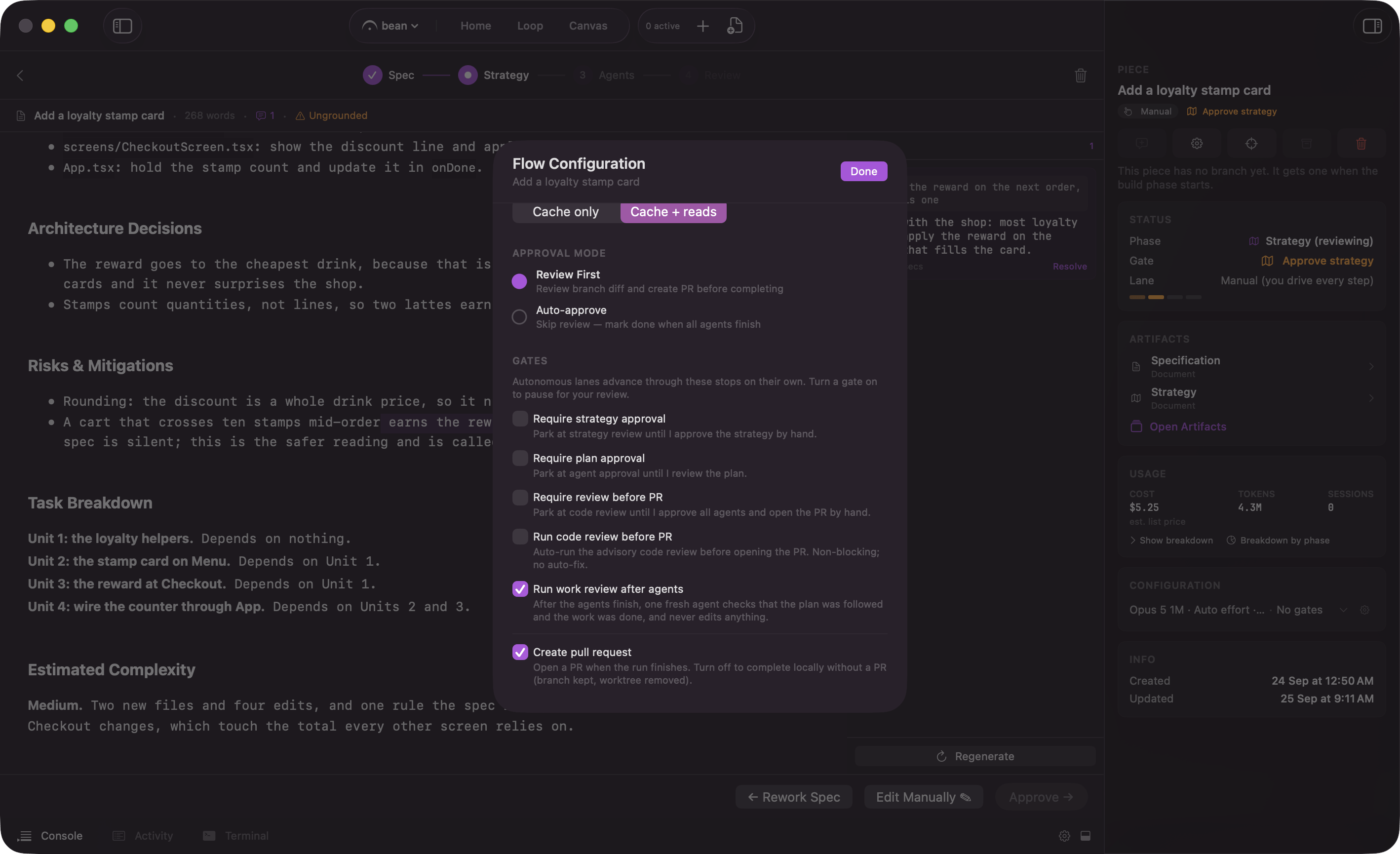
Per piece: the three gates, the two passes, and the ending switch
The three gates
The two passes
Two more toggles sit in the same list. Each adds a pass, not a stop you place: an extra agent does some checking, and its findings ride along with the run.
Run code review before PR is an Edge feature. The toggle is hidden until Edge and its Code review switch are on, and while it is hidden a saved value does nothing. When it runs, the review attaches its findings as advisory context and the pull request opens regardless.
Run work review after agents is on for every new piece. The reviewer is appended as the last step of the plan. It reads the spec, the strategy, the agents’ handoffs, and the diff, judges each acceptance criterion in the spec, and writes a verdict. It never edits anything and never runs the build, the tests, or the app; a reviewer that moves the branch fails its own step. On the Manual lane you read that verdict at Review like anything else. On the Auto and Loop lanes a failing verdict parks the piece at Review even with Require review before PR off, so a run that went wrong does not open a pull request on its own. Approving the review is how you let it continue. A verdict that only asks for a manual check does not stop the lane.
Turning on Require review before PR dims Run code review before PR and Create pull request, because that gate already hands you the diff and the pull request. The work review toggle between them stays live.
Below the passes, separated by a divider, sits one more toggle that is not a stop:
Create pull request, on by default, described as “Open a PR when the run finishes. Turn off to complete locally without a PR (branch kept, worktree removed).” It picks the ending, not a pause.
On the Manual lane the three gates are moot. Manual stops at every phase already, so there is nothing for a gate to add. The two passes still run there: the work review step is part of the plan whatever the lane, and the code review fires on every path that opens a pull request.
Taking control mid-run
You do not have to decide everything up front. While a piece is running, each phase carries an Auto-approve toggle, and flipping it off arms a stop at that phase’s gate. Its help text says it plainly: “On: this phase auto-approves and the run advances on its own. Off: the run pauses here for your approval.” Turn it off while the phase is still running toward its gate and an “Armed” label appears beside it, reading “will pause at the upcoming gate”. Once the run has parked there, the label has nothing left to promise and goes. A phase the run has already cleared is disabled, with the help “Already approved. The run has passed this gate and it can no longer be intercepted.” You cannot reach back and hold a gate the run is already past. The control does not appear on the Manual lane, because the runner never auto-approves anything there.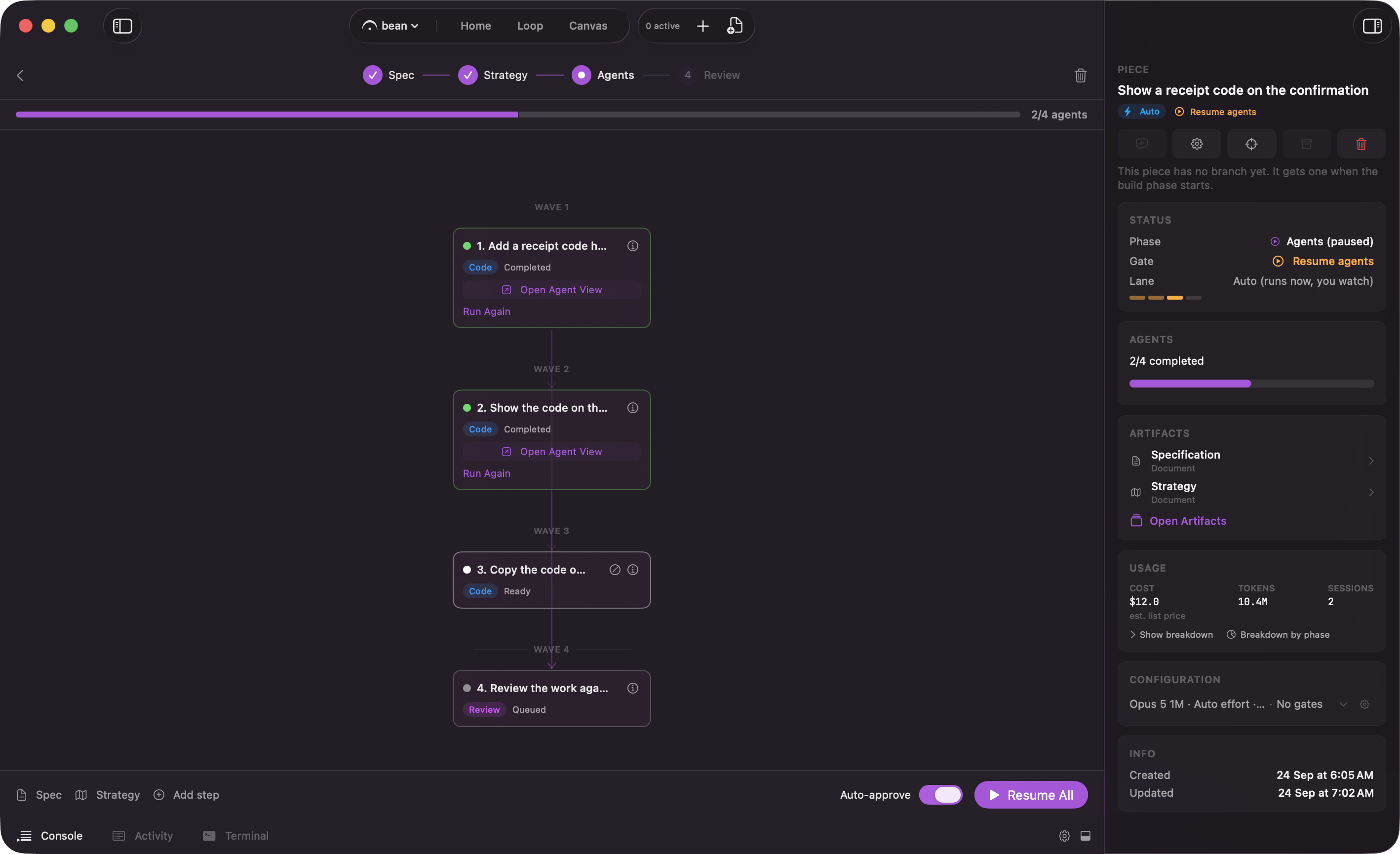
Mid-run, each phase carries an Auto-approve toggle
How a parked gate reaches you
When a run hits a gate it parks, and the same pending decision shows up in five places at once:- “Needs You” on Home, right under the stat tiles.
- The “needs you” counter on the Loop board.
- The “Gate” row in the piece inspector.
- The menu bar, so you see it without a Fermata window open.
- A notification carrying the same call to action, on the Mac and on a paired phone.
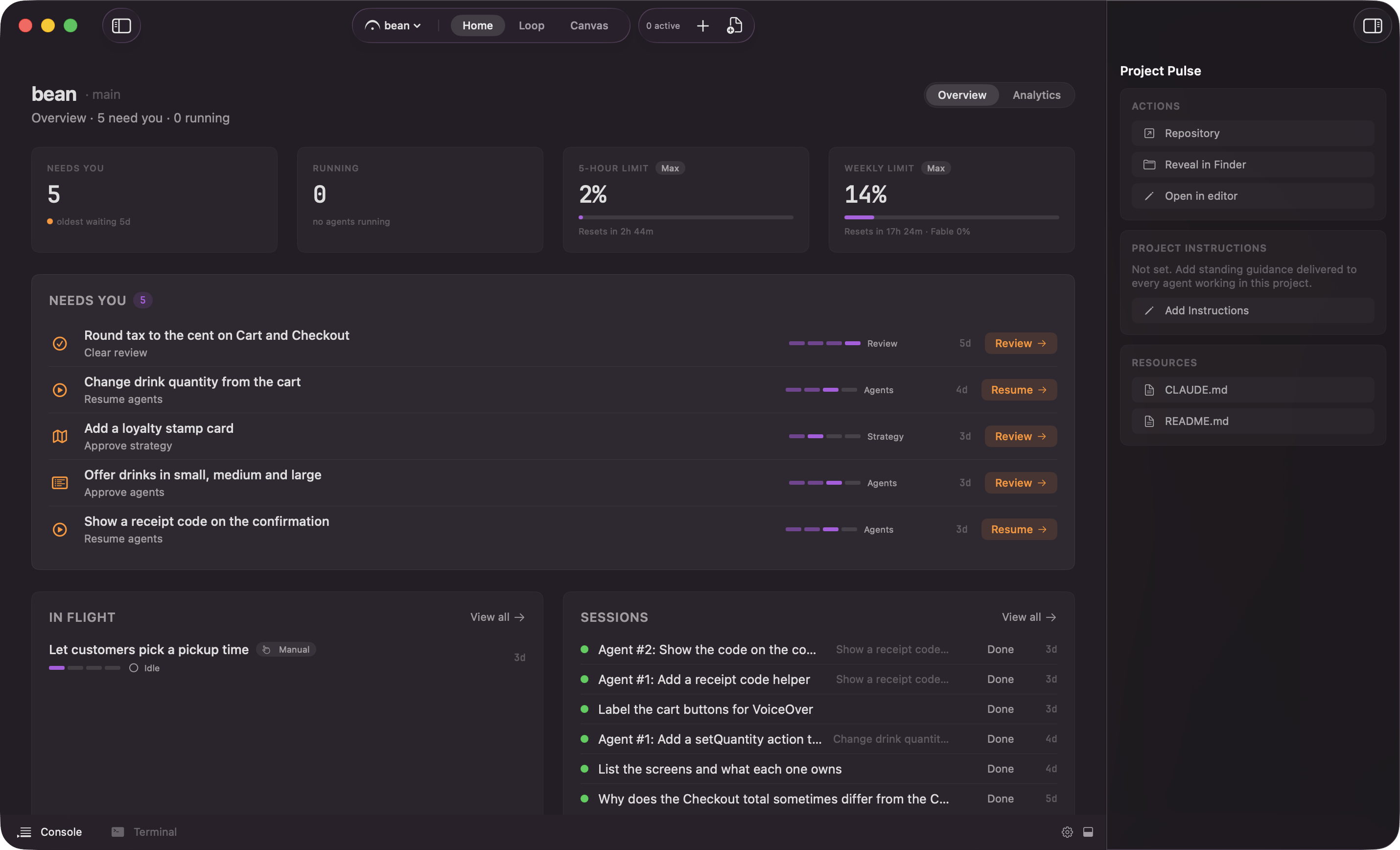
Home: the stat tiles, then everything that needs you, oldest first
None of them approves the spec. The spec leaves its phase through Mark Spec Ready and the lane verbs beside it, covered in lanes.
A parked gate waits
A parked piece waits, with the worktree and the branch exactly as the run left them. A gate never times out. The one wait that does is a tool approval, which the Claude Code hook holds for 24 hours. The two layers has both rules in full.Reading a piece’s gates at a glance
The piece inspector’s “Configuration” card reads as two segments. The first gives way if the panel is narrow: the model, the effort, and the approval mode, for example “Opus 5 1M · High effort · Review first”. The second is protected from truncation, because it is the one that answers whether the piece stops for you: “No gates” or, naming them in flow order, “Gates: Strategy, Review”. Only the three gates that park the run for a human count there; Run code review before PR and Create pull request are left out on purpose.Change a paused piece's configuration and read its spend from the inspector
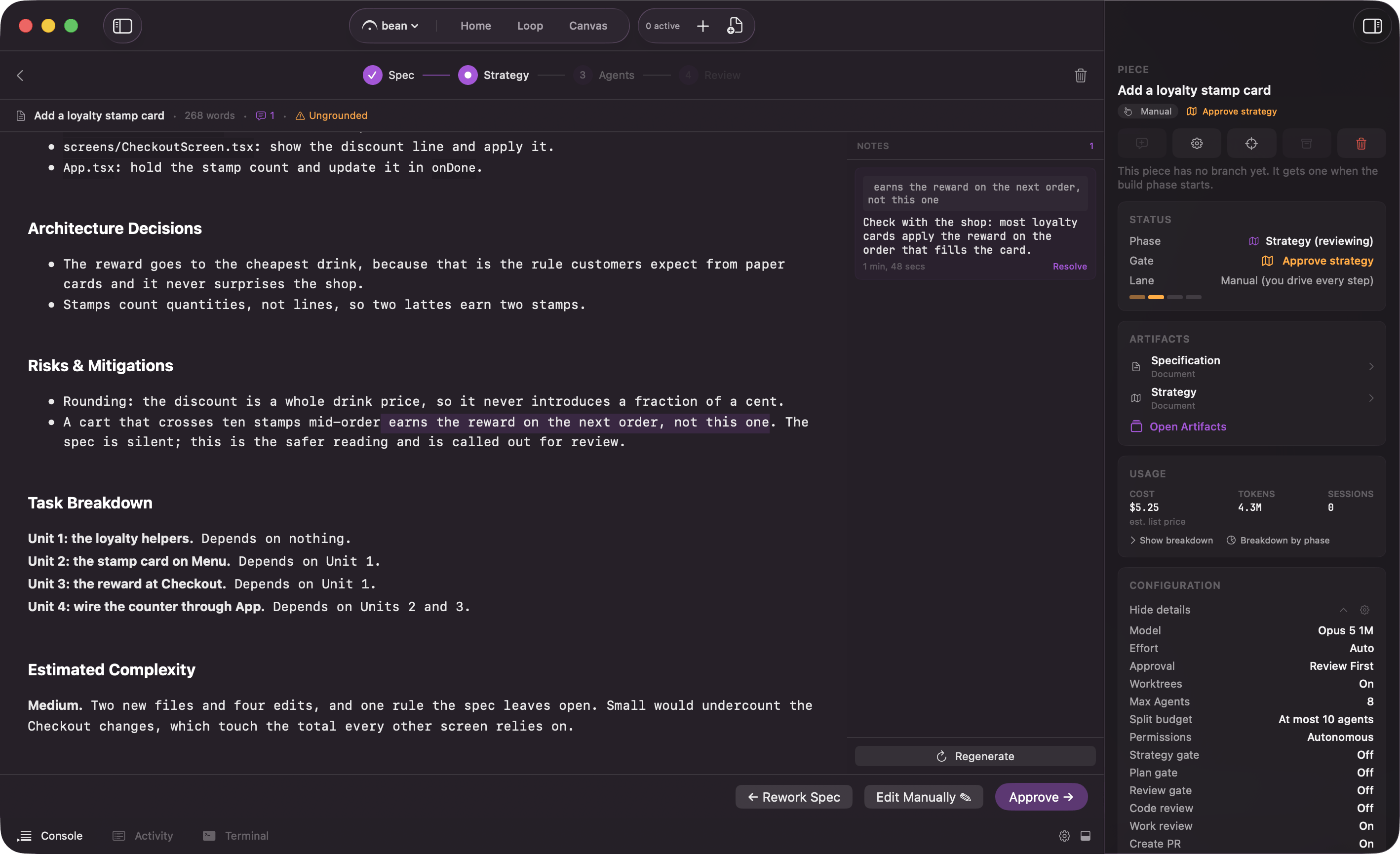
The piece inspector: the Lane row and the gate rows