

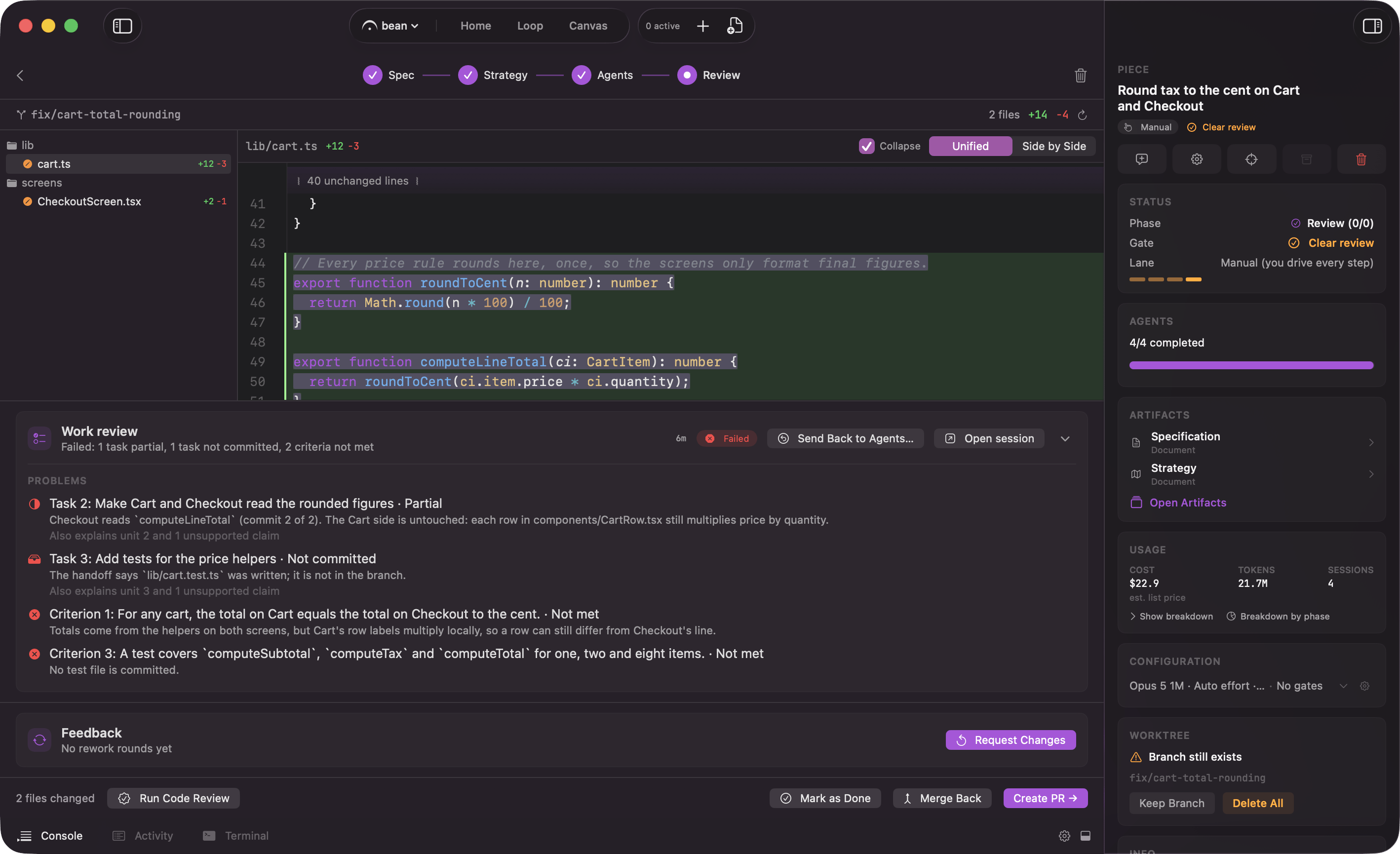
The Review phase: the work review's verdict beside the branch diff, and Create PR
The diff
Review opens on the whole branch diff, headed by the file count and the total insertions and deletions. A file tree on the left lists every file the agents touched with its insertions and deletions. Click a file to open its diff on the right. Deep folder chains flatten. Instead of five nested rows for a single path, Fermata collapses the chain into one entry, sosrc/features/auth/components/LoginForm.tsx is one row rather than five.
Two things the panel tells you that are easy to miss. It shows committed work only, and says so when the worktree has uncommitted changes that are not in the diff. And after a round of changes it can show the round delta on its own, so you can read what moved since you last looked instead of re-reading the whole branch.
The work review
Before Review opens, one more agent runs after the last agent in the graph: the work review. It checks that the plan was followed and the work was done. It reads the spec, the strategy, each agent’s handoff, and the branch diff, judges every acceptance criterion in the spec from that evidence, and writes a verdict. It never edits a file, never commits, and never runs the build or the tests; projects validate in their own way, and what the review looks for is a completion claim with no work behind it. The verdict is the Work Review artifact in the Review surface, next to the diff. Its header names how long the review took, not what it cost; the review’s own spend stays in its record and in the piece’s usage total, not on this card. A failing verdict is a stop: on the Auto and Loop lanes the piece parks at Review even with the review gate off, and you decide.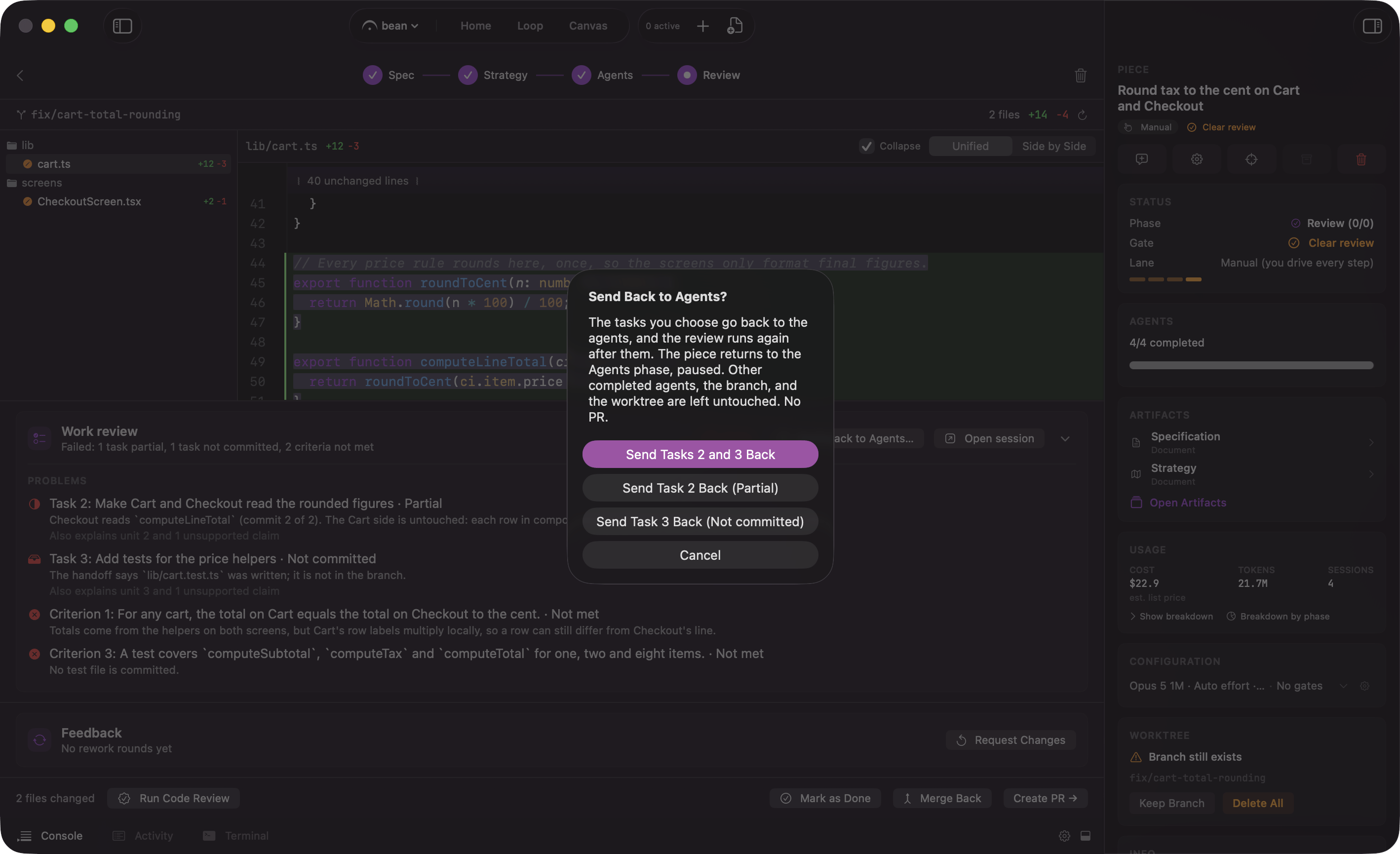
A failed work review: send the agents it names back to work
Run Code Review
Run Code Review is an Edge feature: it appears once Edge and its Code review switch are on in Settings → Edge. It is a pass over the diff that comes back with findings you can act on, send back to an agent to fix, or ignore. Its header carries three controls for the run about to happen:
All three apply to this run only, not to the piece’s own review settings. They stay open to change before a run starts or right after Re-run is clicked; once a run is in flight, or a result is sitting on screen, they freeze, so the findings shown and the settings that produced them can never disagree.
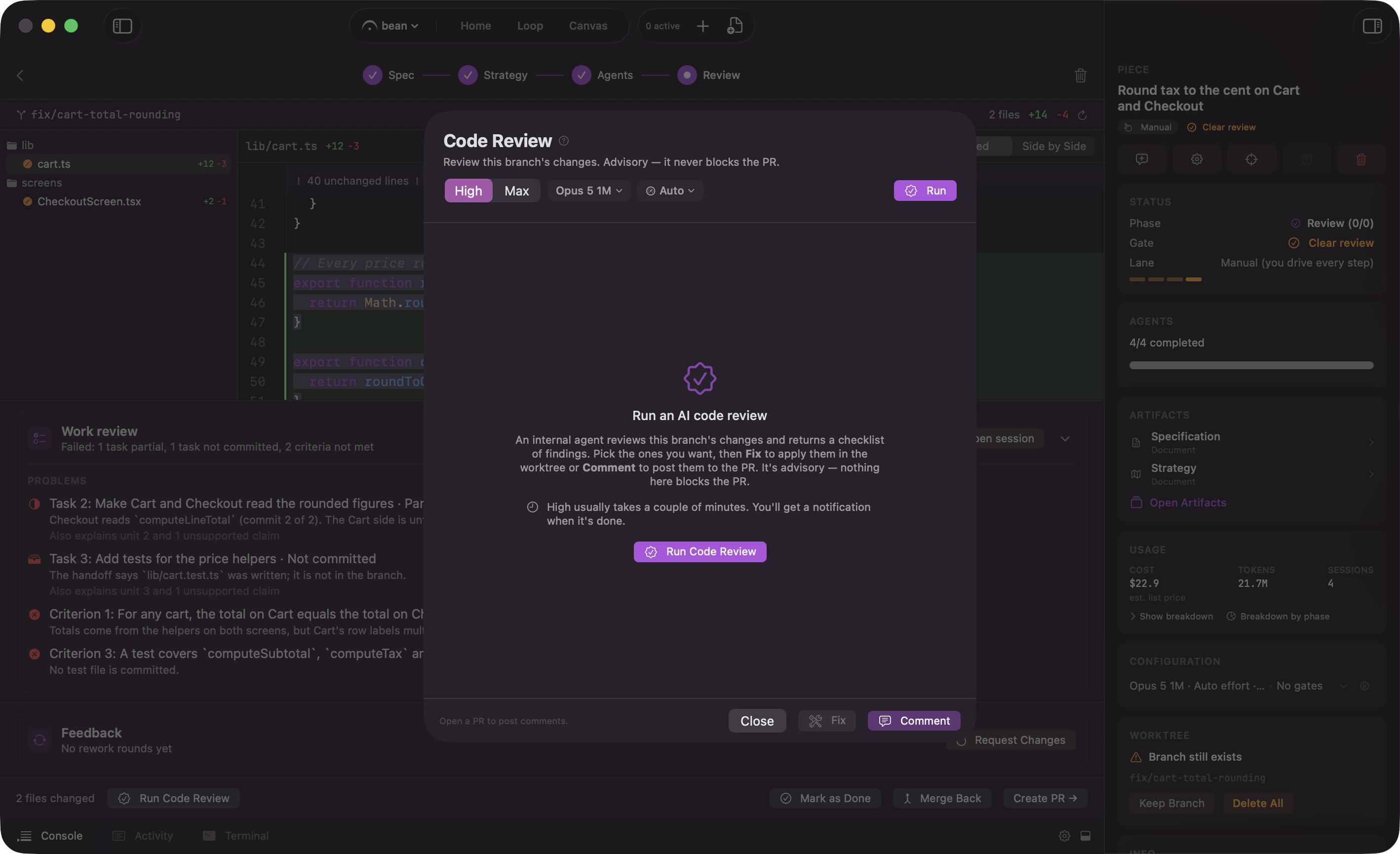
The Code Review header: Depth, model and effort for this run
Request Changes
If the work needs adjustment, click Request Changes and type a short follow-up. Fermata starts an interactive session on the piece’s own branch and worktree, so the fix lands on the same branch as everything else. The agent is told not to commit: when the turn ends a commit card appears with the changed-file count and an editable message, and you pick Commit, Commit & Push, or Discard.Ask for a change, commit what the agent did, and open the pull request
How the work lands
Three ways out, depending on what the work needs.
Merge Back suits work that never needed a review round: a chore, a version bump, something you already read line by line. It is plain git, so it is also the ending to use on a remote that is not GitHub. Mark as Done is for work that landed some other way, or that you decided against.
One switch picks between those endings before a hands-off run gets here. Create pull request, in the Flow Configuration sheet and on by default, ends a hands-off run with a pull request. Turn it off and the run completes locally without one, branch kept and worktree removed. It is not a gate. See gates.
Fermata opens the pull request. It never merges on its own. You merge, from the piece’s Done view or on GitHub.
Resolving a conflict
A pull request can fall out of sync with its base branch while it waits on you: someone else merges first, and the branch no longer applies cleanly. Fermata surfaces this in place of the merge control on the Done view rather than as a separate alert. Solve Conflicts starts an assisted session that brings the base branch in and works through the conflicts; Fermata pushes the branch once the tree is clean. Step away before it finishes and the same control becomes Resume Resolution, re-entering the merge or rebase left in progress in the worktree. While a resolution session is running, it becomes Open Solving Conflict Session instead, so you can watch it or answer it; all three sit behind an amber “Resolving” loader while the session is actually doing the work. Each of the three ways it can end tells you by name: resolved and pushed, resolved but the push failed, or stopped with conflicts still open. See notifications for the exact wording of each.What happens to the worktree
The worktree stays put while the pull request is open, because that is when the branch gets the most work: another round of changes, addressing review comments, a code-review fix, a conflict resolution, all of it runs there. Once the pull request merges, Fermata removes the worktree directory on its own and keeps the branch. Three things stop it: an uncommitted tree, a piece you already marked done, and a session still working in that worktree. Mark as Done asks instead of deciding. The dialog names the branch and offers Done & Delete Worktree + Branch, Done & Keep Branch Only, and Done & Keep Everything. Turning on Automatically tear down the worktree when marked Done in Settings → Loop skips the question: the worktree goes, and the branch goes with it once a pull request exists. With no pull request the branch is always kept, so un-pushed work is never lost. A standalone session follows a different rule: stop one with a clean tree and no commits and its worktree and branch are cleaned up for you. See the Canvas and standalone sessions.What the run leaves behind
When a piece completes, Fermata writes two documents from the run’s full context and saves them with the piece, beside its spec:summary.md, what was built, and learnings.md, what the run found out about your codebase along the way.
A finished piece: its summary, the changes, the documents it followed, and more actions
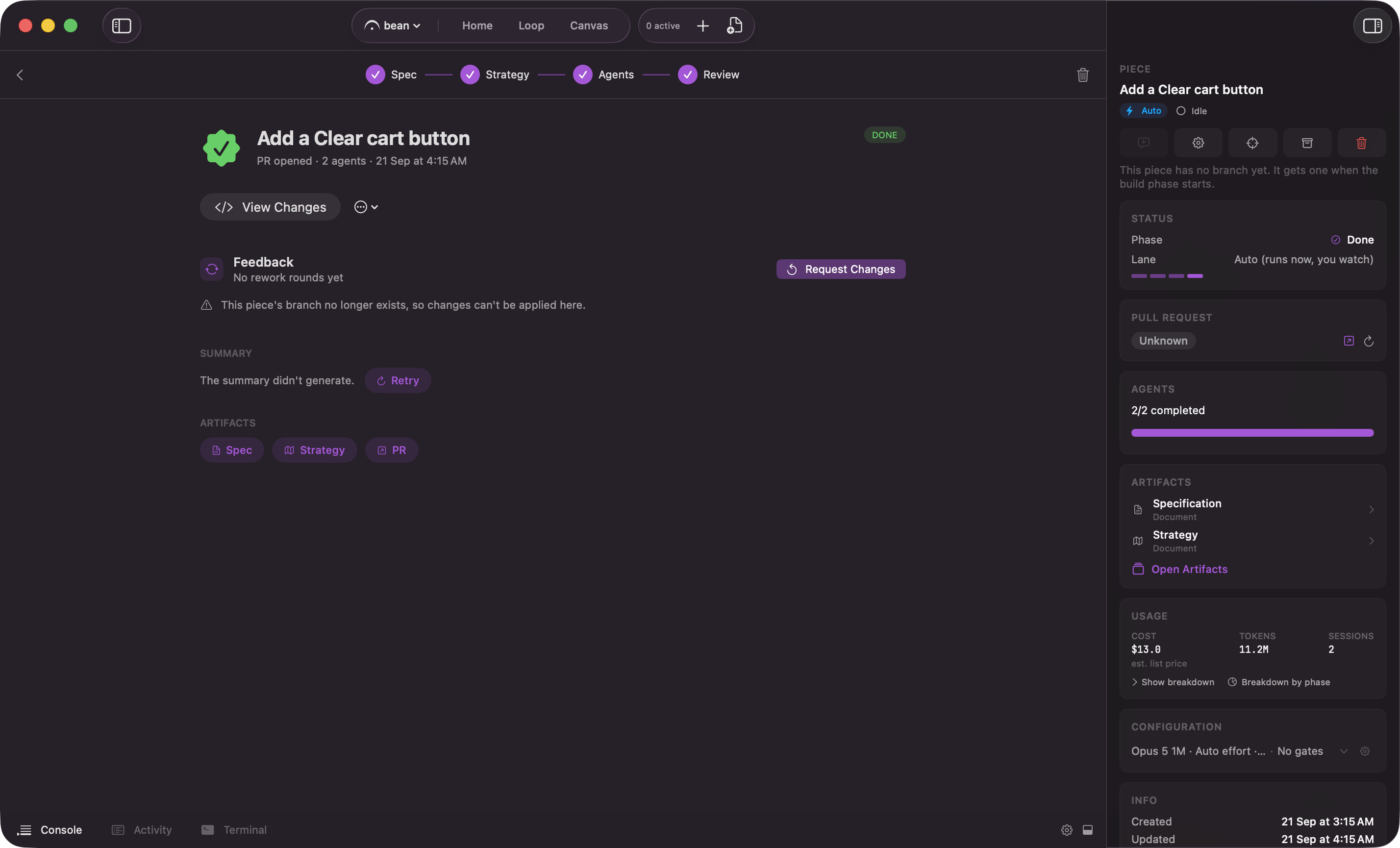
The Done view writes the summary after the run; Retry if it did not land
summary.md and learnings.md surface on the piece’s Done view under Artifacts, as chips alongside the spec, the strategy, the work review’s verdict, the code review findings when Edge ran one, and a link to the pull request. They are plain markdown on your disk, so the next piece in that repo, and you in three months, can read them.
They live in a .fermata/ folder at the root of the project, along with the piece’s spec, strategy, and analysis. Fermata adds .fermata/ to your .gitignore the first time it writes there, so none of it lands in the diff or the pull request. Commit it deliberately if you want the paper trail shared.
A hand edit to spec.md or strategy.md on disk, made while the piece is still open, is kept: the next save adopts what changed on disk into memory instead of overwriting it. If both sides changed since the last save, Fermata’s own memory wins the file, but the edit found on disk is not discarded: it is kept once, alongside it, as spec.conflict-<UTC timestamp>.md or strategy.conflict-<UTC timestamp>.md, so an edit made outside the app is never silently lost, even when it loses the race.