

- Manual (the default): you drive every step. The piece stops at every phase and waits.
- Auto: runs now, you watch. The piece advances through the phases on its own, starting immediately.
- Loop: hands-off, runs when you press Play. The piece is enrolled in the Loop and starts when you play the Loop board.
Where you choose a lane
There are two moments. At spec approval. When the spec is ready, the approve button carries the lane’s own verb, so the click commits both the approval and the posture:
The lane chip beside the button is captioned “Choose how this piece runs after you approve the spec”.
The Loop button’s name predates the board’s Spec column. The spec it approves is already written, so the card does not land in Backlog: it queues in Spec, waiting there until you press Play. A label naming a column the card no longer reaches is a known app issue.
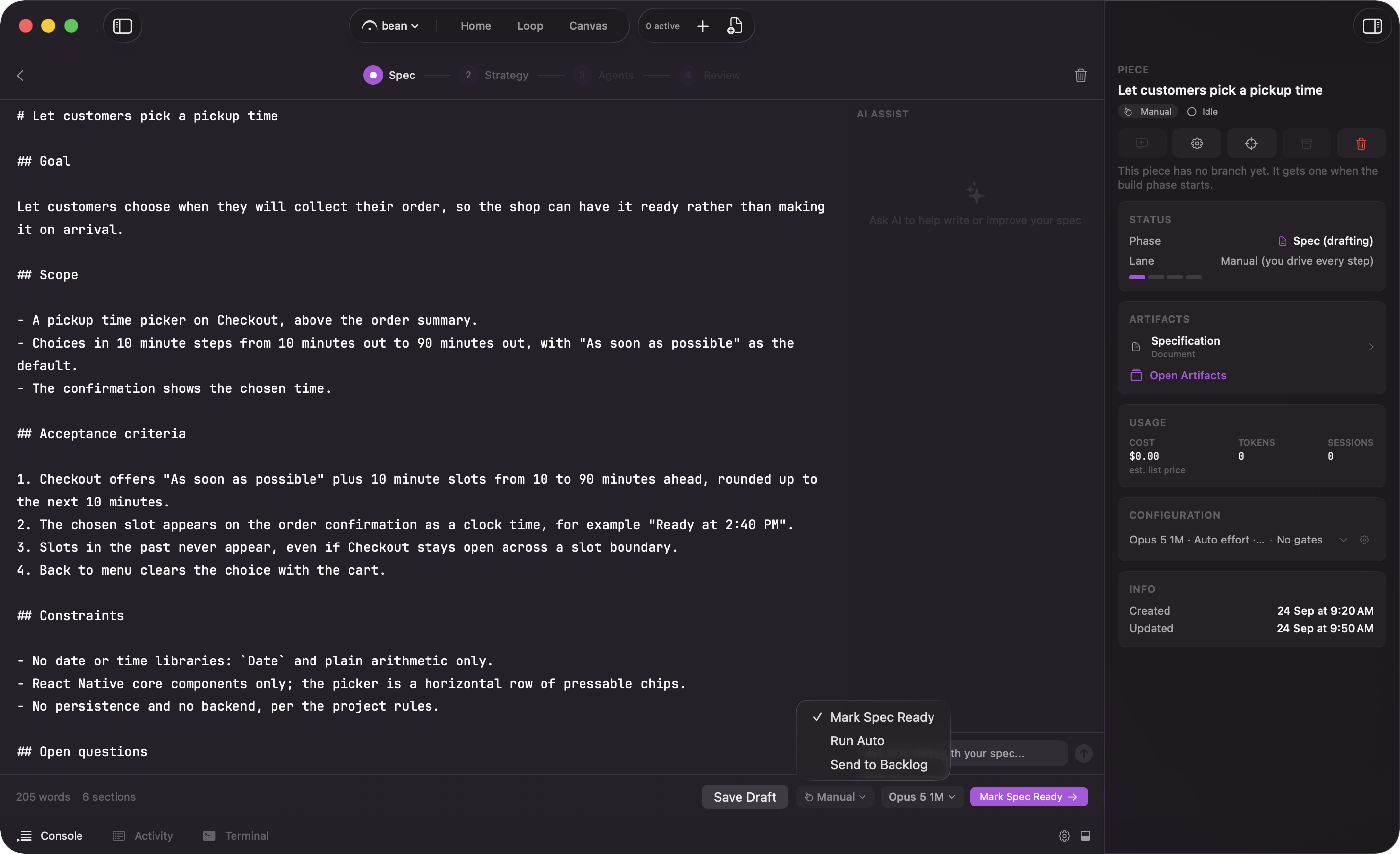
At spec approval, the lane picker decides what the approve button does
Loop’s primary reads Add to backlog rather than Start piece because Loop work is launched by the board’s Play, not by starting it here. Manual and Auto’s secondary Save to backlog files the piece as a draft on that lane instead of starting it now.
Beside the lane control sits a model chip for the spec interview, fixed once the interview starts, and below the description an Attachments (optional) field: reference files the agents can read while working, which travel with the piece through every phase.
Start a piece: name it, pick how far it runs on its own, and start the interview
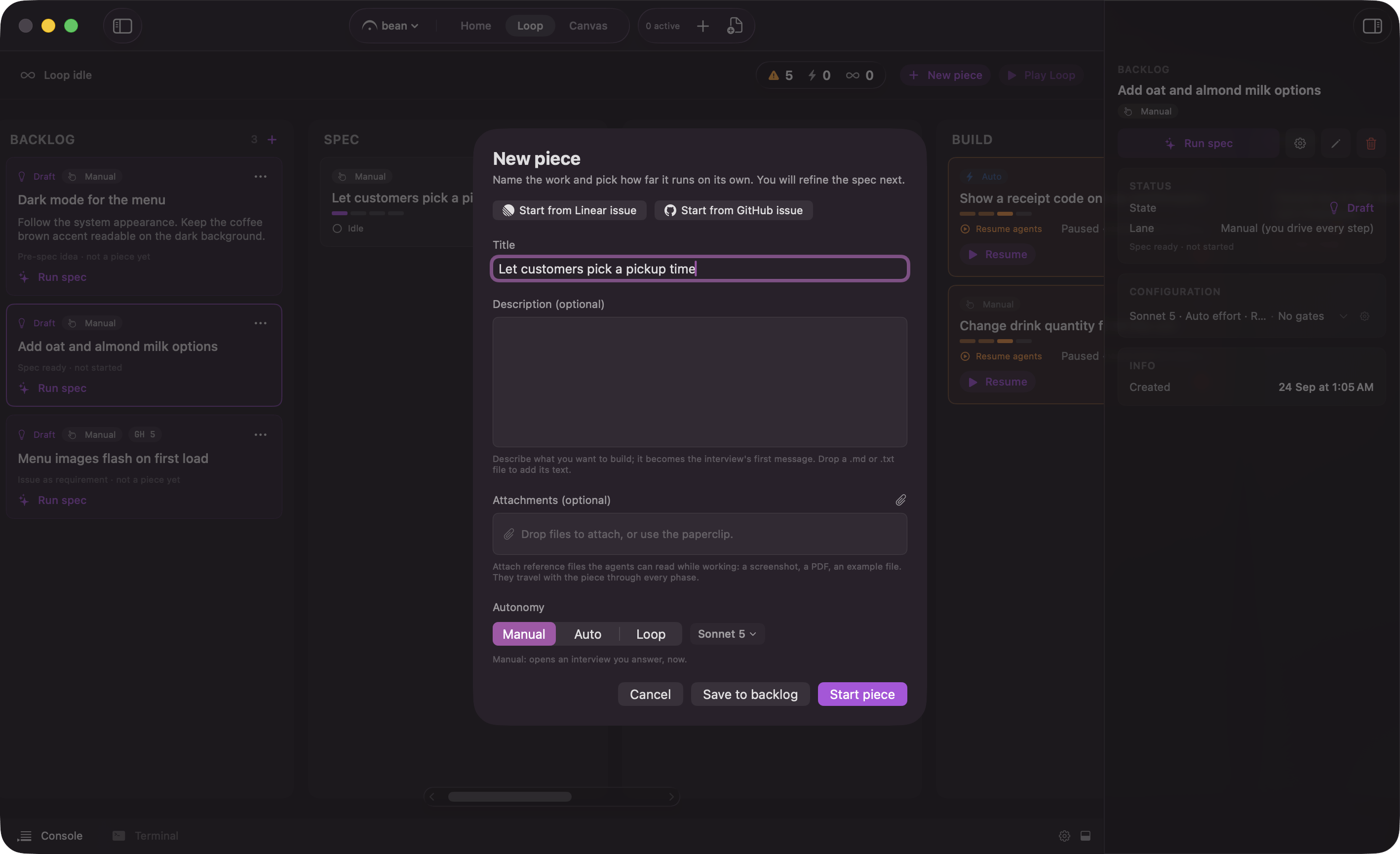
The New Piece sheet: the lane, the interview model, and where the piece lands
What each lane actually flips
The lane sets two switches and nothing else.
Auto runs immediately when you pick it: Run Auto at spec approval, and Start piece in the New Piece sheet, both arm the lane and release it in one click. There are two other ways onto the lane, and both wait for the card’s Play: switching a card to Auto from its badge, and hard-stopping an Auto piece, because a stop re-arms it rather than letting the next transition restart it. The tooltip reads “Release this Auto piece to run on its own. Until you press play it stays armed and parked.”
What the lane does not touch is the gates. Switching a piece to Auto or Loop leaves every gate exactly as you set it, and leaves the permission profile alone too. Those are separate controls, covered in gates and permission profiles and approvals.
When the lane is locked
The badge turns into a read-only chip in two situations, and its tooltip says which:- While the piece is running: “Autonomy is locked while this piece is running. Stop it to change the lane.” The runner reads the lane mid-run, so switching it underneath would be unsafe.
- Once the piece reaches Review or Done: “Autonomy no longer applies once a piece reaches Review or Done.” There is nothing left to advance. Done is terminal, and Review is the human checkpoint by definition.