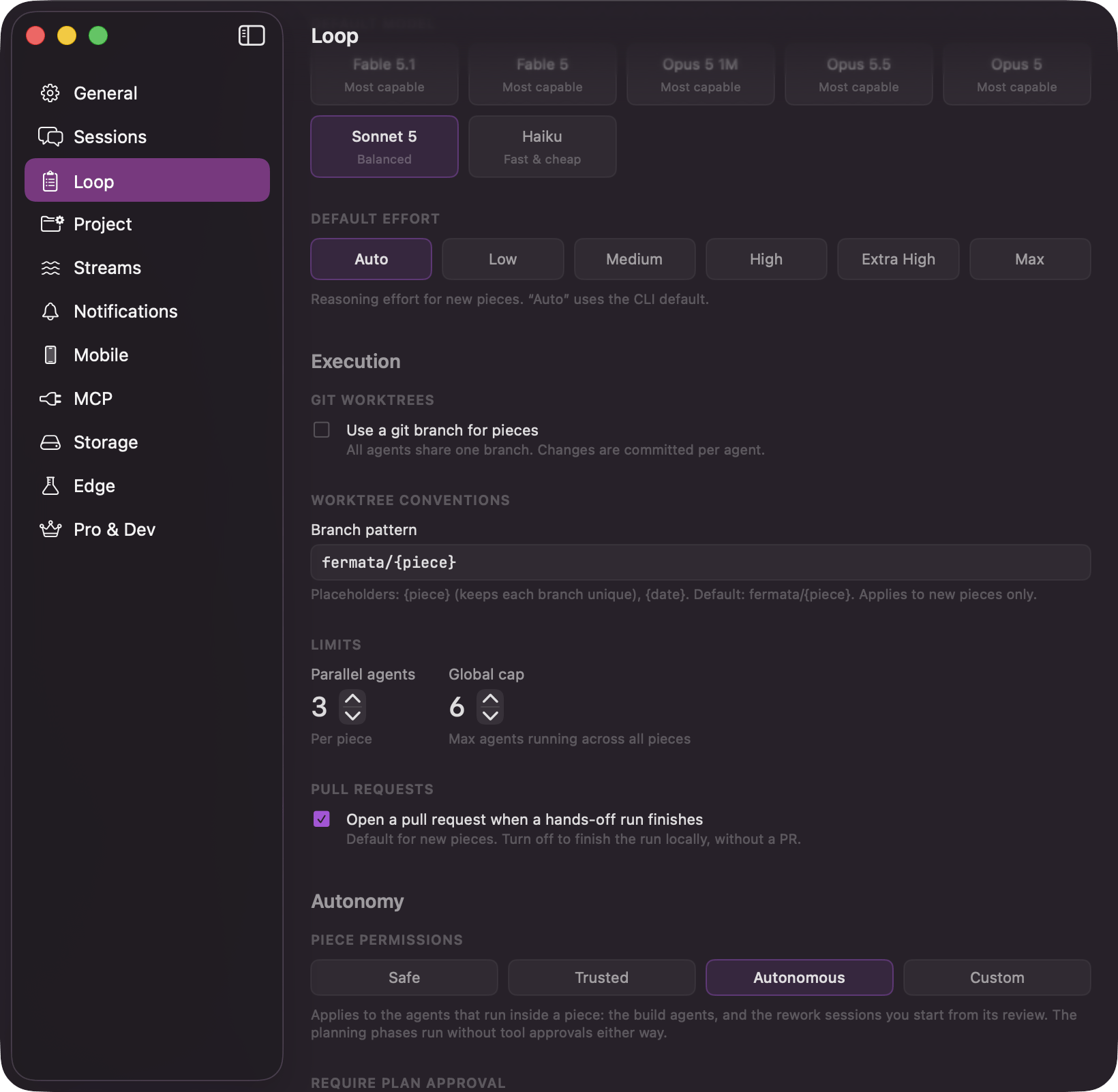
Several pieces run at once, up to the global cap. Releasing a large backlog paces itself against your machine instead of starting everything at once. Two numbers decide how, and both live in Settings → Loop, under Limits.
The Loop tab of Settings showing the Limits section with the Parallel agents and Global cap steppers

Settings → Loop: the global cap and the Parallel agents stepper

The per-piece number is a ceiling, not a target. Within one piece, independent agents run at the same time and dependent ones wait for what they need, so the shape of the strategy decides how much actually overlaps. One piece can override Parallel agents for itself, in the Limits section of its Flow Configuration sheet, over the same range of 1 to 10; the global cap has no per-piece override. Two more controls live in that same section once a piece has a strategy to work from. Split budget caps how finely that piece’s decomposition may split into agents, a different question from how many of them run at once: a graph of twelve agents with Parallel agents at four is still twelve agents to spin up, and this is the knob that bounds the twelve. Its menu defaults to “Follow strategy”, which reads the default cap from the strategy’s Estimated Complexity: Pick a fixed count instead and the pill shows it, from “1 agent” up through “At most 12 agents”, or “No cap” to lift the ceiling entirely. The line underneath names which value is actually in force and where it came from, for example “1 agent, from the strategy’s small sizing.” A pick here applies the next time agents are decomposed, not to the graph already on screen. The row reads its default size from the piece’s strategy, so it only appears once a piece has one: a draft on the Loop board, with no strategy yet, never shows it.
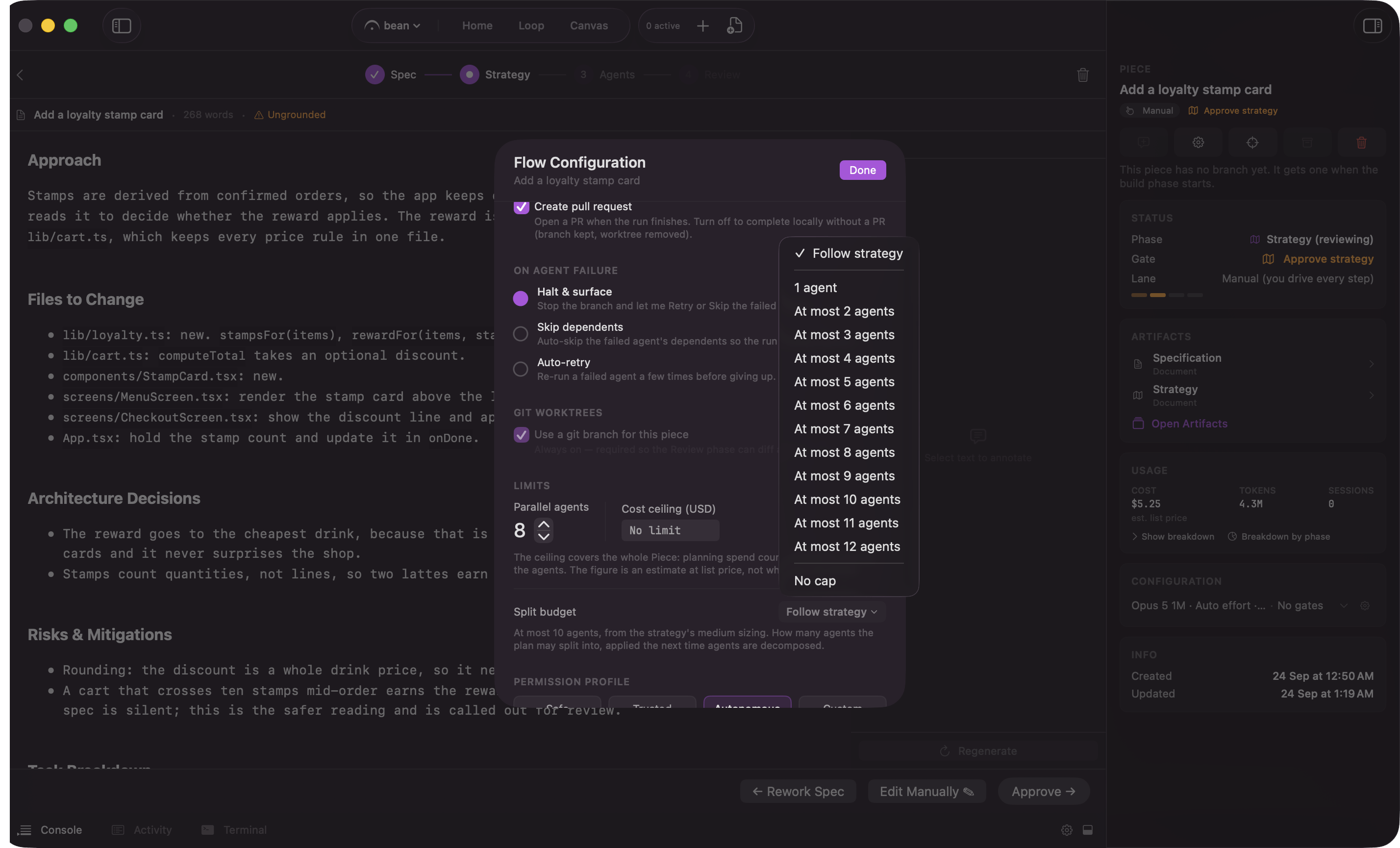
The Split budget row in Flow Configuration's Limits section, showing the Follow strategy default and the fixed-count menu

Split budget: follow the strategy's sizing or cap the agent count by hand
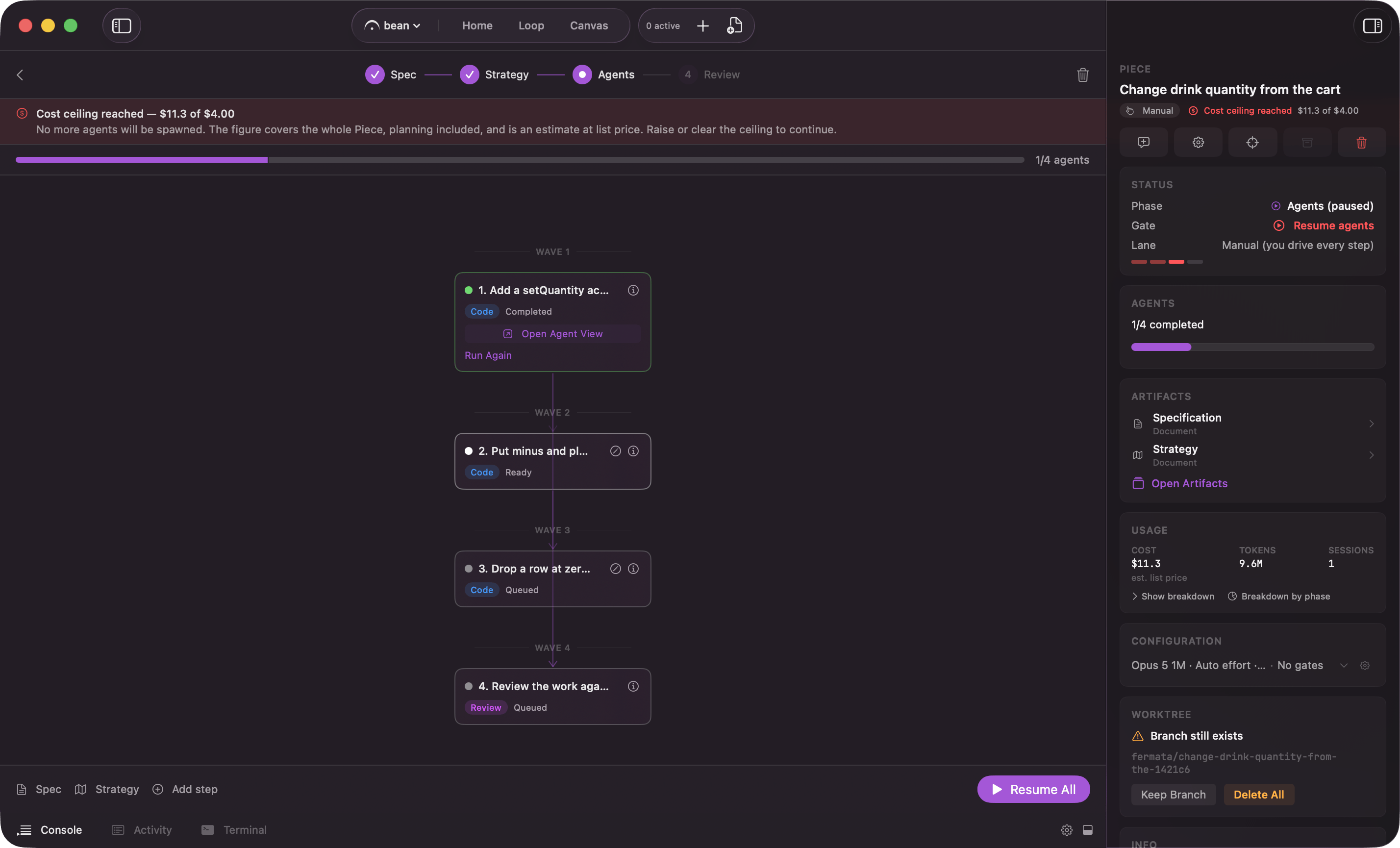
On Pro with Edge on, the same section carries a Cost ceiling (USD) field for that piece; while either is off, the field is hidden and a saved ceiling stops nothing. Once a piece’s spend reaches its ceiling, the runner stops spawning agents and parks the piece there until the ceiling is raised, cleared, or the feature is turned off. Cost and usage covers the banner’s exact wording and what counts toward the figure.
The Agents phase halted by a cost ceiling, showing the banner with the spend and the limit

A piece stopped by its cost ceiling: the banner with spend and limit

How the Loop spends the budget

When you press Play Loop, the board promotes the parked Loop-lane drafts in Backlog. It works out a budget first: the global cap minus the agents already running anywhere, across every piece and every standalone session. Then it promotes drafts oldest first until the budget runs out. Whatever does not fit stays where it is. Nothing is dropped, and nothing queues up behind a hidden counter. The remaining drafts sit in Backlog and get promoted the next time there is room. The global cap counts agents, not pieces. One piece with Parallel agents raised to five can take most of a default budget of six on its own, which is why the per-piece number matters even when you only have one piece in flight. The gate and approval stops described in gates are separate from this. A piece parked on a gate is not spending any of the budget.