

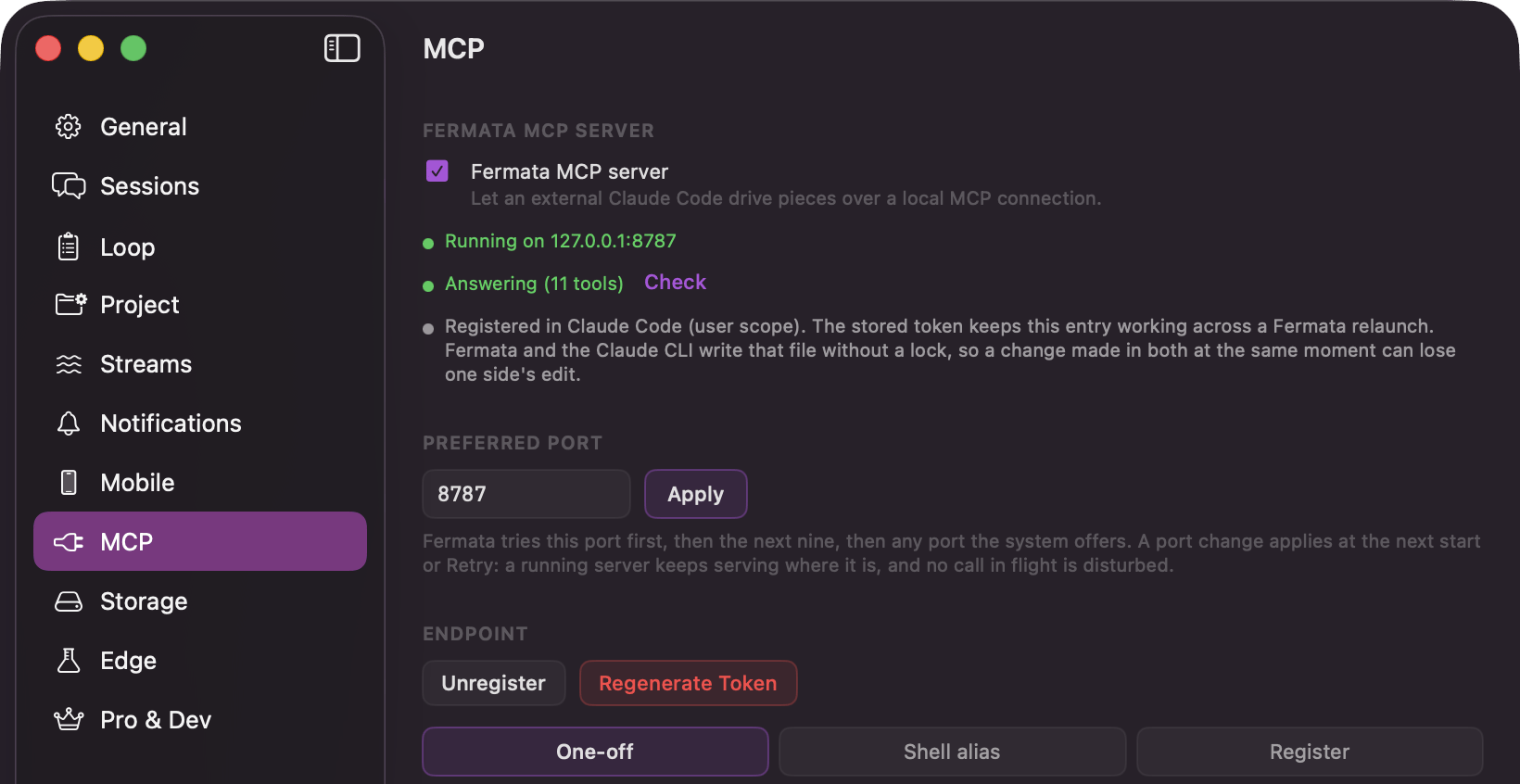
Settings → MCP: the server toggle, its status, and the registration buttons
Turn it on
1
Switch the feature on
Settings → Edge, then Enable Edge features and, in the “Features” card, MCP control plane. The MCP pane appears in Settings once both are on. Turning either switch off hides the pane again and shuts a running server down.
2
Start the server
Settings → MCP, then switch on Fermata MCP server, captioned “Let an external Claude Code drive pieces over a local MCP connection.” It binds to
127.0.0.1 on a local port, and the status row reads “Running on 127.0.0.1” with that port.3
Connect Claude Code
Register writes the entry into Claude Code for you. If an entry is already there it asks first, with “Replace the Fermata entry in Claude Code?” Unregister takes it back out. For a manual setup, Copy Instructions gives you a paste-ready command and Copy Inline Config the raw connection JSON.
4
Check it is answering
The health row reads “Answering (N tools)” with the number of tools it is serving. That is the quickest way to tell a broken connection from a quiet one.
The port is pinned, so the registered URL survives a relaunch. Preferred Port in the same pane sets it, defaulting to 8787. Fermata tries that port first, then the next nine, then any port the system offers, so it only moves when the preferred port is already taken. If the tools stop resolving, check the status row and register again.
The tools
Reading
Driving
piece_action is the one that does the work. It covers answering the interview, approving the spec, generating or regenerating the strategy, approving it, decomposing into agents, starting and pausing and resuming and stopping the run, recovering the failed agents, moving to review, approving an agent, running the code review (refused while that Edge feature is off), opening the pull request, and marking the piece done and confirming it. Regenerating a spec is not on the list.
An action that is illegal for the current phase fails and tells you which ones are legal instead. get_piece reports that same list up front, so a client never has to guess.
Filing a draft does not start it
create_draft parks a card in your Backlog and stops there. You release it in the app: Run spec on a Manual or Loop draft, Play on an Auto one. Releasing injects the supplied spec and skips the interview.
It takes the lane (manual, auto, or loop) and a refine mode (none, if_gaps, always) that decides whether the supplied spec is used as is or completed at release. Mint the id yourself and a retry never files a duplicate. If you already released the card in the app, a resend acknowledges the release instead of filing a second one.
There is one exception. A loop draft filed into a project whose Loop is already playing starts immediately, because Play is that lane’s standing release. While the Loop is paused it parks like any other draft.
The confirmation card
The consequential actions do not just happen because a model asked. They raise a dialog on your Mac first, titled “Allow the MCP client to start agents?”, with the verb swapped for the action in question. The body names the piece and the project: “An external MCP client wants to start agents on ‘upload-retry’ (muse).” You answer Allow or Deny. Seven actions confirm, and these are the labels the title uses:
Approving a spec onto the Manual or Loop lane goes through directly; only Auto confirms, because it releases an unattended run. Everything else on the tool list executes directly too.
The request waits with no timeout, exactly like a gate. If the project’s window is closed you get a notification carrying the same sentence, and the card presents as soon as you open the window. Shutting Fermata down, or changing the port, denies every parked confirmation.